折叠屏对接方式
1.最低支持折叠屏适配的团结版本
支持折叠屏适配的最低团结版本为1.0.3,链接:https://unity.cn/tuanjie/releases
2.折叠屏适配原则
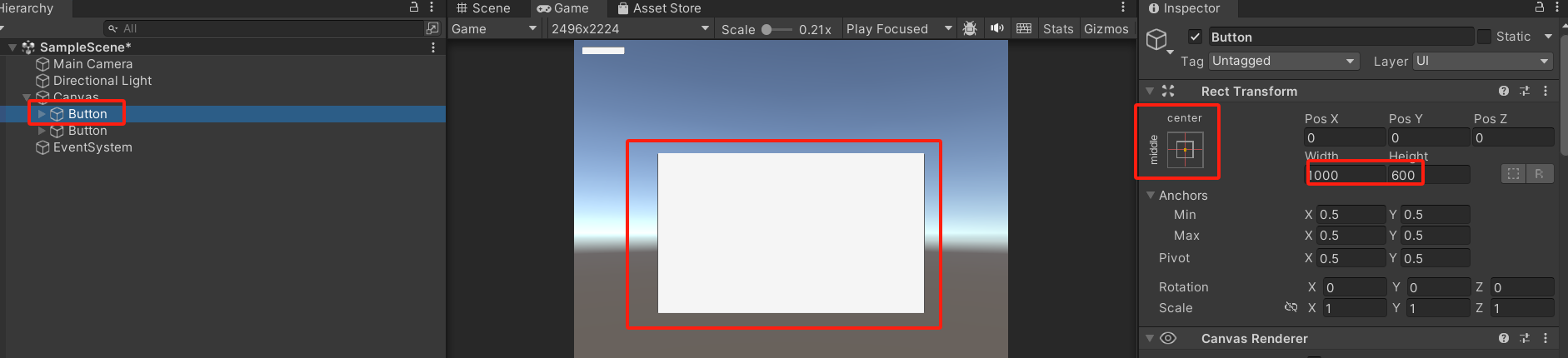
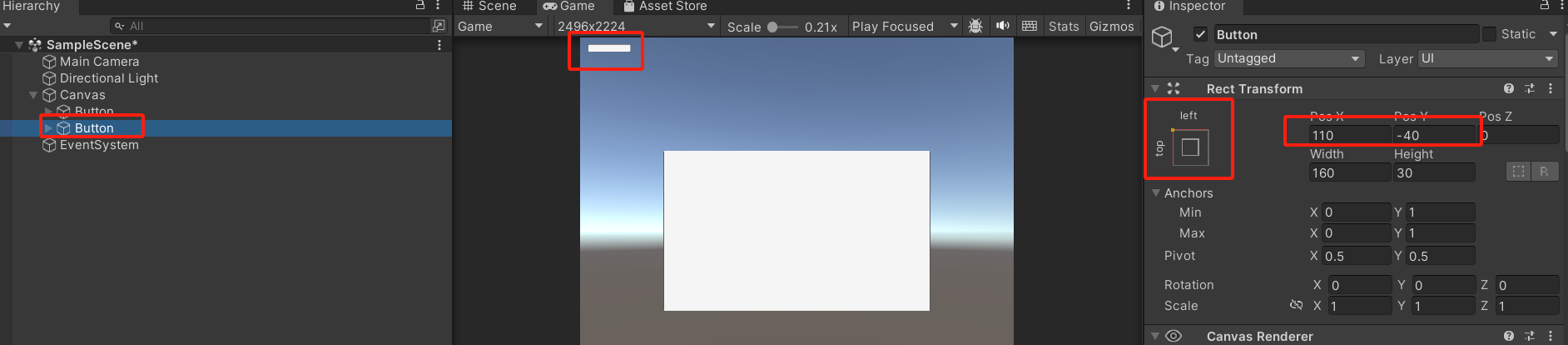
2.1 UI需要是动态布局,不能是固定位置,需要按照锚点来
如下图所示,将游戏中心主图形以页面中心为锚点,并设置相对位置,这样不管页面尺寸发生如何变化,主图形都会保持在中心位置,不会漂移:
如下图所示,将游戏一些设置按钮以页面左上角为锚点,并设置相对位置,这样不管页面尺寸发生如何变化,设置按钮都会保持在左上角位置,不会漂移:
2.2 需要根据尺寸动态更新RenderTexture,否则会发生屏幕切换时拉伸或压缩的情况
如下面代码所示,如果摄像头上有自定义的RenderTexture,在页面尺寸发生变化需要实时更新大小:
using System.Collections;
using System.Collections.Generic;
using UnityEngine;

public class AutoModifyRenderTexture : MonoBehaviour
{
    public Camera cam;
    private RenderTexture rt;
	private int nowWidth = 0;
	private int nowHeight = 0;

	private void Start()
	{
		rt = cam.targetTexture;
		if (rt == null) return;
		nowWidth = rt.width;
		nowHeight = rt.height;
	}

    private void Update()
    {
		if (nowWidth == Screen.width && nowHeight == Screen.height) return;
		nowWidth = Screen.width;
		nowHeight = Screen.height;
        rt = new RenderTexture(nowWidth, nowHeight, 0);
        //cam.targetTexture = rt;
		// 自定义逻辑...
    }
}
### 2.3 禁止调用Screen.SetResolution()【此条以团结官方为准,仅供参考,可忽略】
一旦调用该接口设置固定分辨率,后续将无法感知屏幕变化,screen.height和screen.width等C#接口返回的都是固定值。
3.没有折叠屏手机场景的查看方式
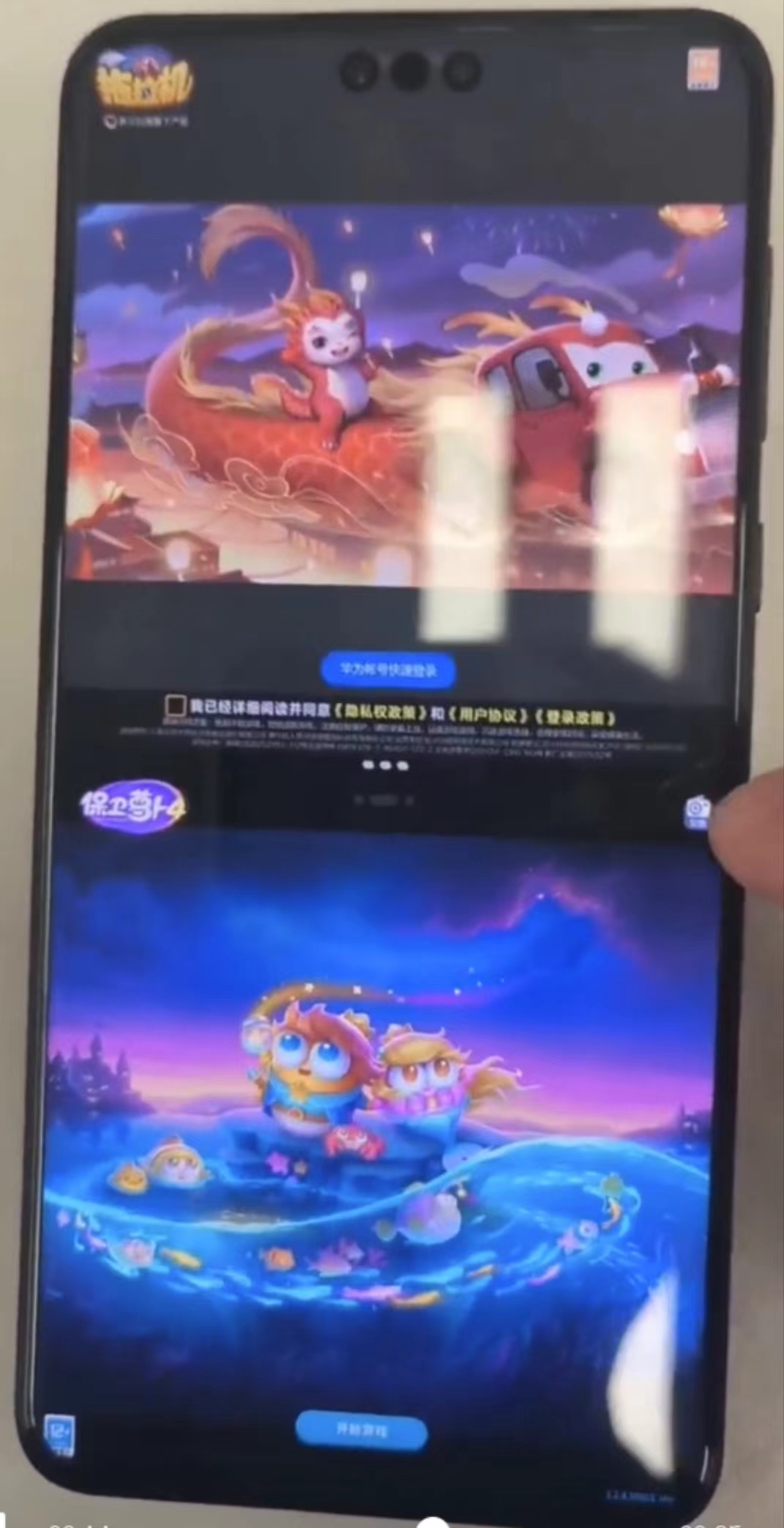
3.1 真机分屏模拟
3.2 editor模式
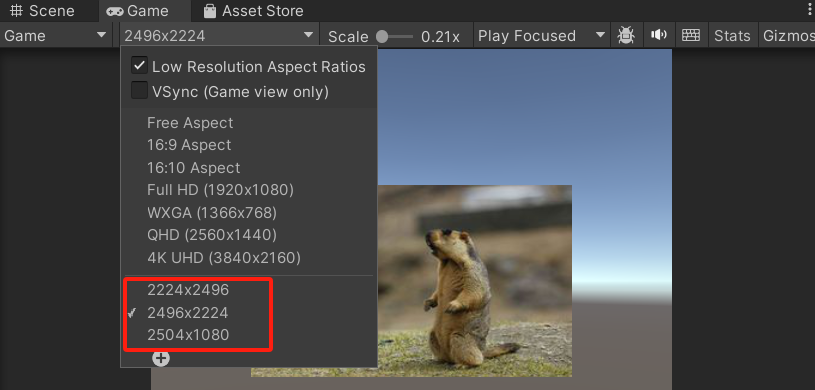
没有折叠屏手机的适配方法如下:在editor中,横屏游戏折叠态分辨率为2504-1080,横屏游戏展开态分辨率为2496-2224,竖屏相反,保障展开态和折叠态下游戏画面没有问题,UI不错乱。设置方式为:
4.通过hdc命令获取折叠屏分辨率
hdc shell hidumper -s 10 -a screen
折叠屏展开态分辨率:2496*2224
折叠屏折叠态分辨率:2504*1080
mate60 pro分辨率:2720*1260
5.大概适配方式【供参考】
参照步骤2.2,在C#层通过判断Screen.height和Screen.width的变化规则,实时调整相关逻辑。
private void Update()
{
	int w = Screen.width;
	int h = Screen.height;
	if (w != m_screenWidth || h != m_screenHeight)
	{
		Debug.Log("Screen.width = >" + Screen.width + "Screen.height = >" + Screen.height);
		m_screenWidth= w;
		m_screenHeight = h;
		m_rootScaler.UpdateFit();
		......
	}
}

private void UpdateFit()
{
	if (UIScreen.IsScreenHeightOutOfProportion())
	{
		myUIRoot.manulWidth = _marchHorizontal;
		myUIRoot.manulHeight = Screen.height * _marchHorizontal / Screen.width;
		myUIRoot.fitWidth = false;
		myUIRoot.fitHeight = true;
		myUIRoot.UpdateScale(false);
	}
	else
	{
		myUIRoot.manulHeight = _marchVertical;
		myUIRoot.manulHeight = Screen.width * _marchVertical / Screen.height;
		myUIRoot.fitWidth = true;
		myUIRoot.fitHeight = false;
		myUIRoot.UpdateScale(false);
	}
}
6. 问题分析思路与定位手段
6.1 问题分析思路
- 截断类问题,大概率是未使用锚点+过大的scale比例;
- 遮挡类问题,大概率错误的scale比例;
6.2 定位与尝试解决
- 优先使用团结的Editor进行分辨率模拟,在编辑器模拟运行状态下运行游戏,查看不同分辨率下的游戏表现。
- 当需要实机测试折叠屏切合但没有折叠屏手机,可以通过直板机分屏模拟分辨率变化。
- 检查安卓版本是否有同样的问题,考虑同步下折叠屏适配的代码。