应用随屏幕旋转
背景
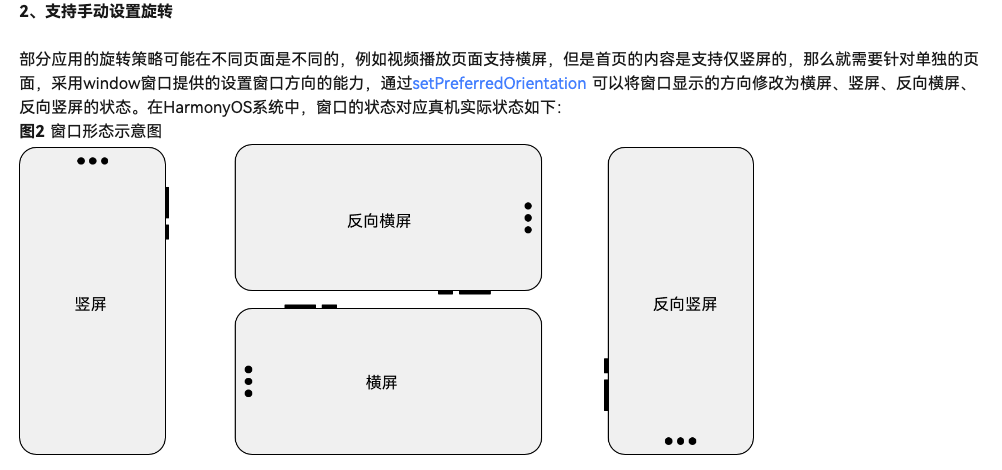
在鸿蒙文档中,对屏幕旋转方向是这么定义的:
而在团结文档中,对屏幕旋转是这么定义的:
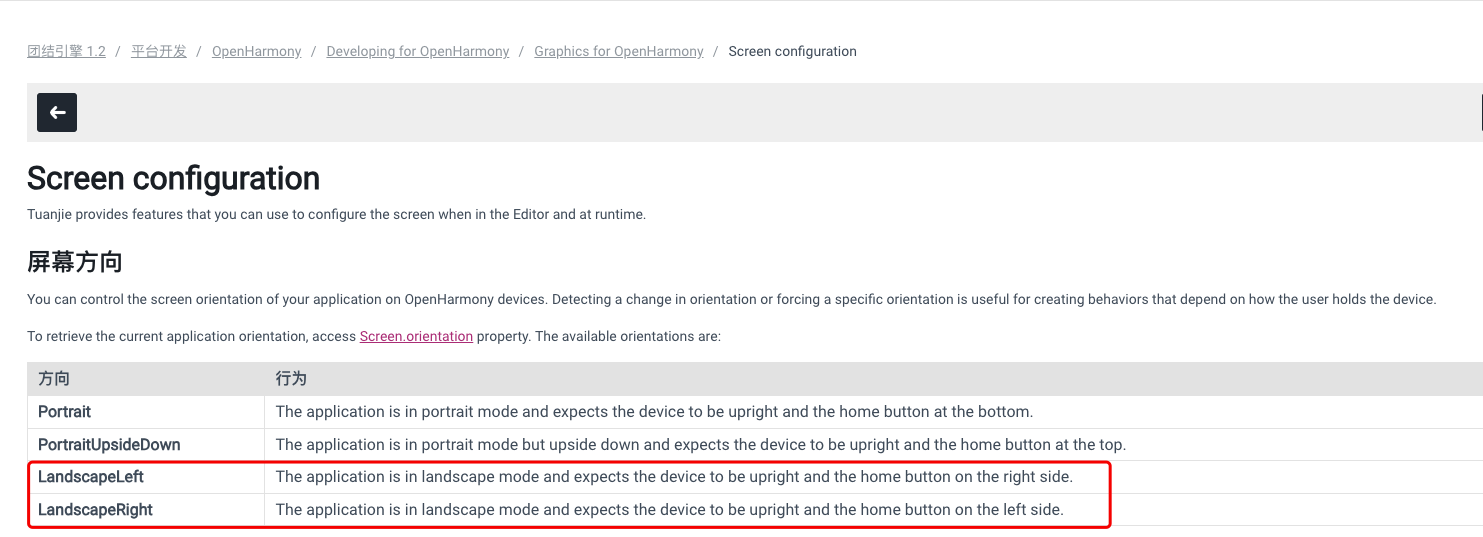
由此可以推出,鸿蒙的LANDSCAPE对应团结中的LandscapeLeft,鸿蒙中LANDSCAPE_INVERTED对应团结中LandscapeRight。
而在当前的团结DevEco工程模板中,两者的映射关系是相反的:
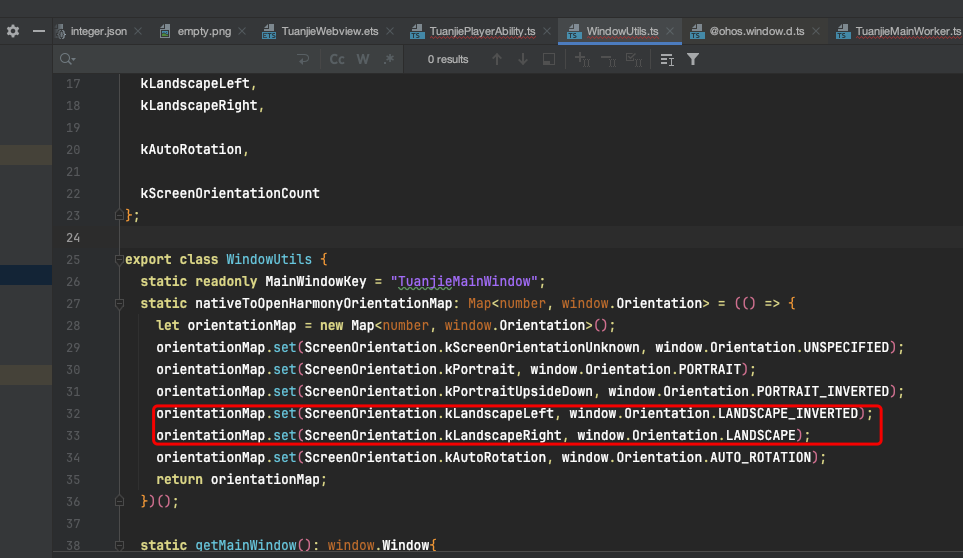
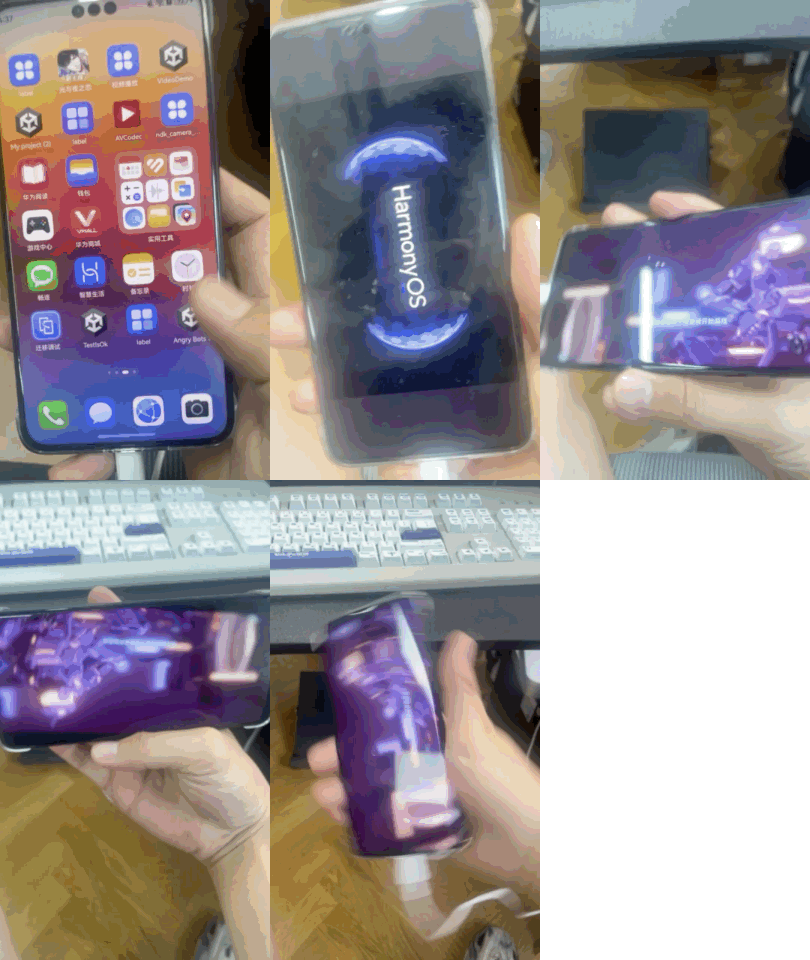
因此在当前团结引擎版本中,如果打开手机的屏幕旋转,进入游戏后画面与屏幕方向会是颠倒的。因此需要对工程进行修改。
版本
团结引擎:1.2.0
鸿蒙系统:API12
团结配置
为了保证进入游戏时第一个界面与当前屏幕方向一致,在打包时需要选择auto rotation,并且LandscapeLeft和LandscapeRight都要勾选。如果只选择一个,则进入游戏时的第一个界面会固定一个方向显示。
配置如下图:
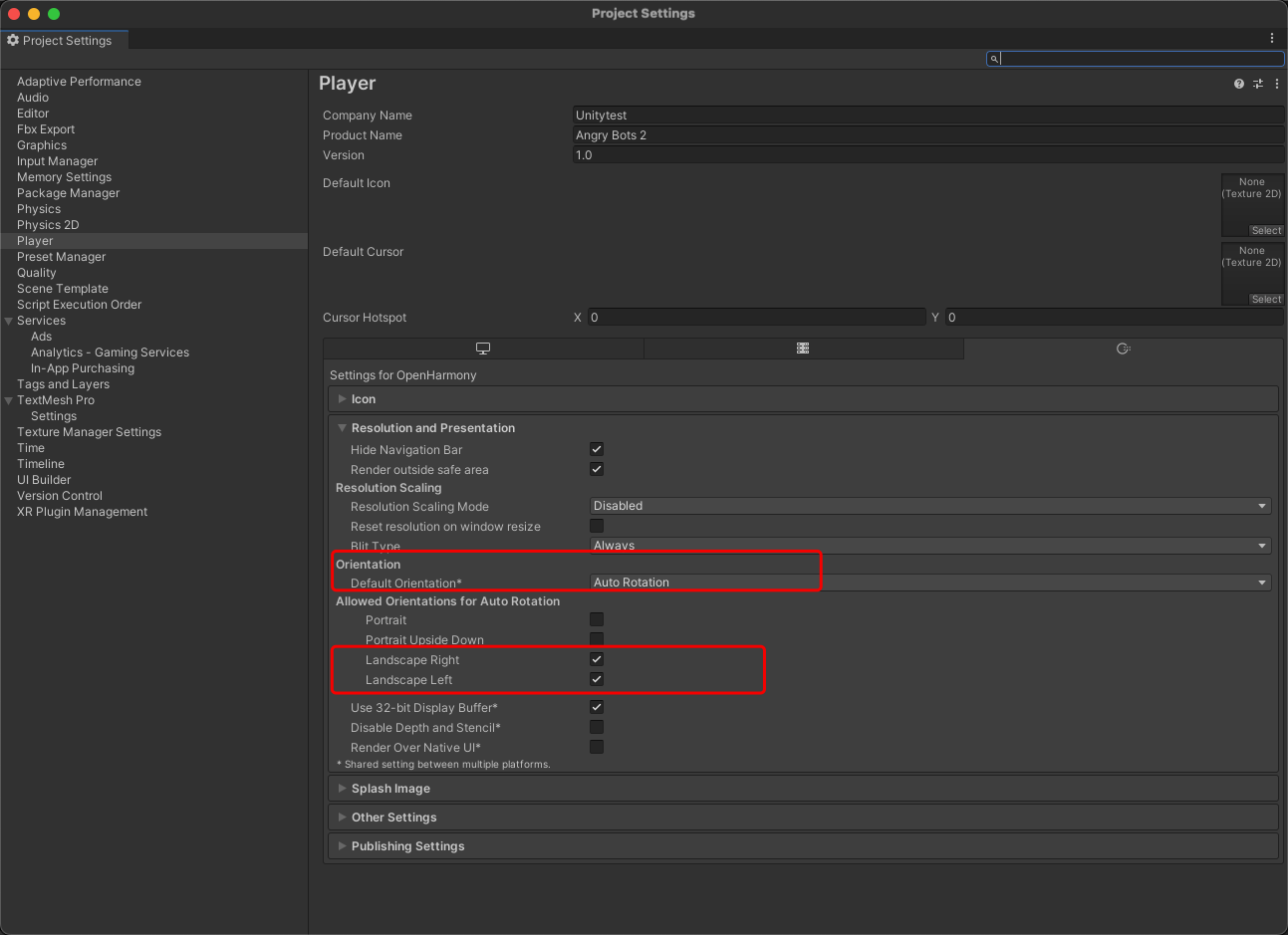
DevEco工程配置
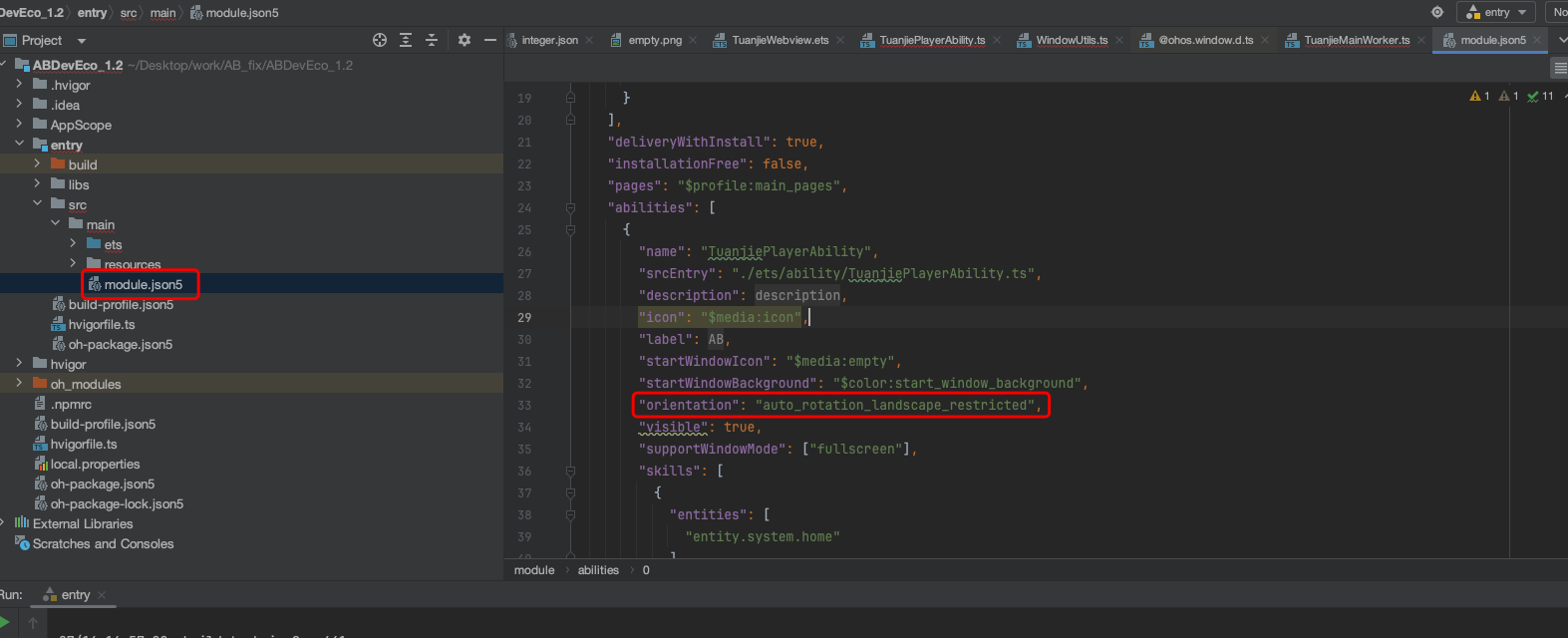
module.json5
"orientation": "auto_rotation_landscape_restricted" 或者"orientation": "auto_rotation_landscape"
"abilities": [
      {
        "name": "TuanjiePlayerAbility",
        "srcEntry": "./ets/ability/TuanjiePlayerAbility.ts",
        "description": "$string:EntryAbility_desc",
        "icon": "$media:icon",
        "label": "$string:EntryAbility_label",
        "startWindowIcon": "$media:empty",
        "startWindowBackground": "$color:start_window_background",
        "orientation": "auto_rotation_landscape_restricted",
WindowUtils.ts
orientationMap.set(ScreenOrientation.kLandscapeLeft, window.Orientation.LANDSCAPE_INVERTED);
orientationMap.set(ScreenOrientation.kLandscapeRight, window.Orientation.LANDSCAPE);
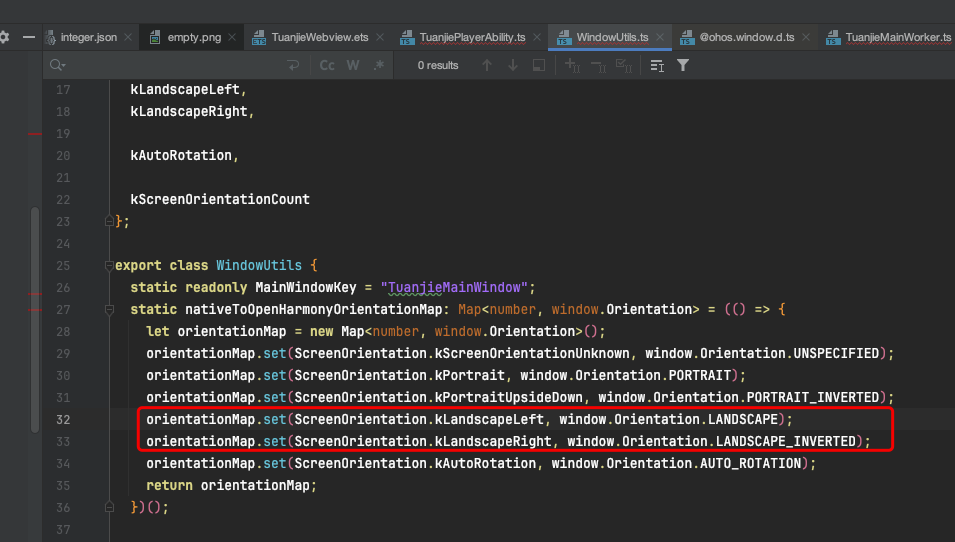
修改为
orientationMap.set(ScreenOrientation.kLandscapeLeft, window.Orientation.LANDSCAPE);
orientationMap.set(ScreenOrientation.kLandscapeRight, window.Orientation.LANDSCAPE_INVERTED);
完成
修改完成后重新打包即可。